GIF Format Guide
GIF (Graphics Interchange Format) is one of the oldest image formats still in widespread use, created by CompuServe in 1987. While its technical capabilities are limited compared to modern formats — only 256 colors and basic transparency — GIF remains culturally significant as the dominant format for short, looping animations on the web. The animated GIF has become a universal form of online expression.
What Is GIF?
GIF is a raster image format that uses LZW (Lempel-Ziv-Welch) lossless compression and supports a maximum of 256 colors per frame from a 24-bit color palette. Each frame can have its own color table, selecting the 256 most important colors from the full 16.7 million color spectrum. This indexed color approach made GIF extremely efficient when it was created, but it is a significant limitation by modern standards.
GIF's most distinctive feature is animation support. A GIF file can contain multiple image frames with individual delay times, creating a flipbook-style animation. Each frame can specify a disposal method (how the previous frame should be handled) and can optionally use transparency for one color index. The animation can be set to loop a specific number of times or loop indefinitely — the infinite loop being the most common setting for web GIFs.
GIF supports binary transparency — each pixel is either fully opaque or fully transparent, with no partial transparency. This creates jagged edges (aliasing) when placed on backgrounds of different colors, unlike PNG's alpha transparency which allows smooth anti-aliased edges. GIF also supports interlaced loading, where the image loads in multiple passes, progressively increasing in detail.
When to Use GIF
- Short, simple animations — reaction GIFs, UI demonstrations, and simple motion graphics where the 256-color limit is acceptable.
- Memes and social expression — GIF remains the universally understood format for sharing animated reactions across messaging and social platforms.
- Quick software demos — short screen recordings converted to GIF are easily embedded in documentation, README files, and chat messages.
- Simple graphics with few colors — logos, pixel art, and diagrams with flat colors and sharp edges can be very efficient as GIF.
- Maximum compatibility — GIF is supported everywhere, including very old browsers, email clients, and legacy systems.
Pros
- Universal animation support — works in every browser, email client, messaging app, and social platform
- No JavaScript or player required — animations play automatically without any external dependencies
- Extremely wide compatibility — supported since the earliest days of the web, works everywhere
- Simple to create and share — most screen recording and video tools can export GIF directly
- Lossless compression (per frame) — no quality degradation from the compression algorithm itself
Cons
- Limited to 256 colors — photographs and complex images look poor, with visible banding and dithering
- Very large file sizes for animations — a 5-second GIF can easily be 5-10 MB, much larger than equivalent video formats
- No audio support — GIF animations are always silent, unlike actual video formats
- Binary transparency only — no partial transparency or anti-aliased edges, resulting in jagged borders
- No modern compression — significantly less efficient than WebP or AVIF animated images

Original — 16.7M colors (PNG)
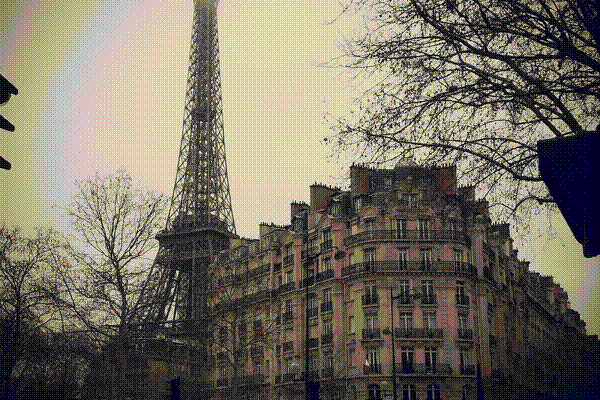
GIF — 256 colors only
GIF vs Other Formats
GIF vs Animated WebP: Animated WebP files are typically 64% smaller than equivalent GIF animations, support more than 256 colors, and have alpha transparency. WebP is technically superior in every way, but GIF has broader support in email clients and older platforms.
GIF vs MP4 Video: A 5-second GIF might be 5 MB, while the same content as an MP4 video could be 200 KB — a 25x size difference. For web use, an auto-playing, muted, looping MP4 delivers a better experience than GIF. However, GIF works in more contexts (email, chat, forums).
GIF vs PNG: For static images, PNG is superior — it supports 16.7 million colors, alpha transparency, and better compression. GIF's only advantage for static images is slightly smaller file sizes for very simple graphics with fewer than 16 colors.
GIF vs APNG: APNG (Animated PNG) supports full-color animation with alpha transparency, producing much higher quality animations. However, APNG files are larger than GIF and browser support, while growing, is not universal. APNG is ideal when animation quality matters more than file size.
The Cultural Impact of GIF
Few file formats have had the cultural impact of the GIF. From the early days of GeoCities dancing babies to today's reaction GIF keyboards built into every smartphone, the format has become a universal language of online expression. The word GIF was named the Oxford American Dictionary's Word of the Year in 2012. Despite being technically inferior to modern alternatives, GIF's simplicity and universal support have ensured its continued relevance for over three decades.
How to Convert GIF Files
ImgForge can convert GIF files to other formats like PNG, JPG, or WebP. When converting an animated GIF, the first frame is extracted as a static image. For static GIF to PNG conversion, you gain access to alpha transparency and millions of colors. Upload your GIF, select your desired output format, and download the converted file instantly — securely processed with immediate deletion.